In today’s digital age, choosing the right USB charger socket is crucial. The global market for USB charger sockets is projected to reach over $10 billion by 2026, according to industry analysts. This surge highlights the growing reliance on multiple devices needing efficient charging solutions. A quality USB charger socket can enhance your charging experience and reduce energy waste.
However, with a vast array of products available, selecting the best option can be overwhelming. Reports indicate that many consumers often overlook key factors, like power output and compatibility. It's essential to match the charger with your devices to avoid damage. Not all USB charger sockets are created equal; some may degrade quickly or fail to provide adequate power.
Understanding these aspects can be daunting. Misconceptions abound about what makes a charger effective. Many rush to purchase without thorough research. This guide aims to clarify the most important factors to consider when selecting your USB charger socket. It can simplify the decision-making process while ensuring you make an informed choice that meets your specific needs.
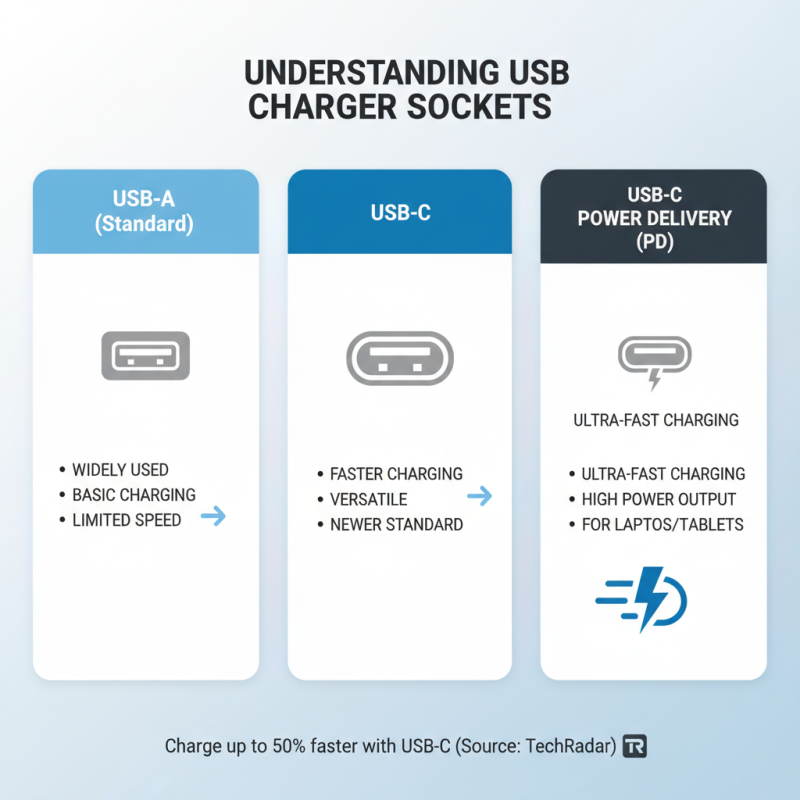
When selecting a USB charger socket, understanding the types available is crucial. There are three main types: standard USB-A, USB-C, and USB-C Power Delivery. Standard USB-A sockets are widely used. They provide basic charging but are limited in speed. On the other hand, USB-C sockets offer faster charging capabilities. According to a report by TechRadar, devices with USB-C can charge up to 50% faster than standard options.
USB-C Power Delivery takes it a step further, delivering high wattage. It is ideal for charging laptops and other power-hungry devices. A study by the USB Implementers Forum notes that USB-C Power Delivery can manage up to 100 watts. This makes it a versatile option for various needs. However, ensure your devices support this standard to maximize benefits.
Reflecting on the diversity of available sockets can be enlightening. Many users overlook their device's compatibility and charging needs. Selecting the wrong type may lead to wasted time and inefficiencies. The variety of USB charger sockets can be overwhelming, but understanding their differences is key to making informed decisions.
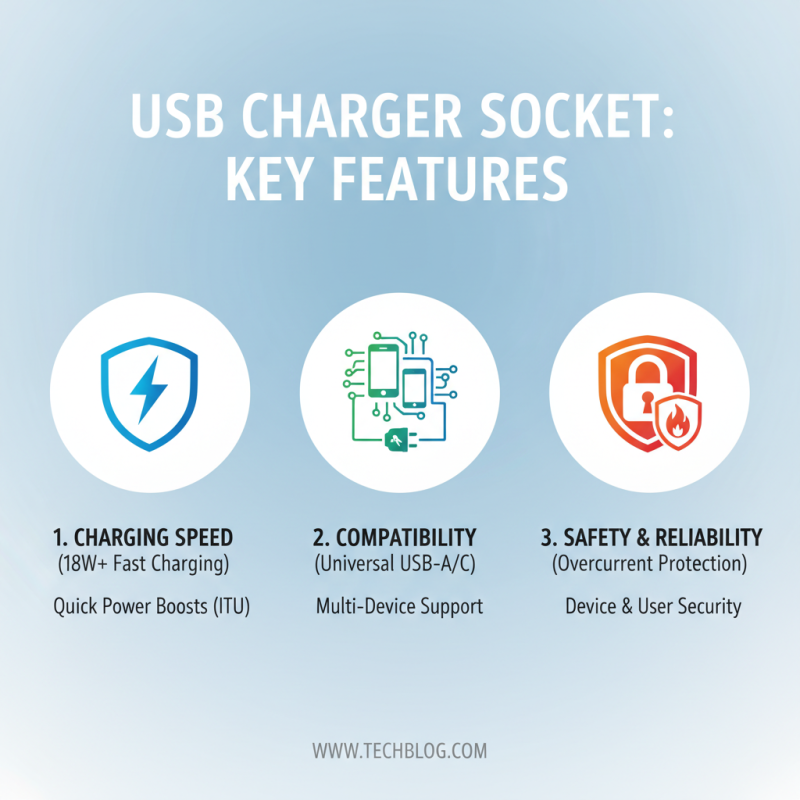
When selecting a USB charger socket, several key features matter significantly. The charging speed is crucial. Many chargers now support fast charging technology, allowing devices to charge at up to 18W or more. According to the International Telecommunications Union (ITU), faster charging can enhance device usability, especially for mobile phones that require quick power boosts.
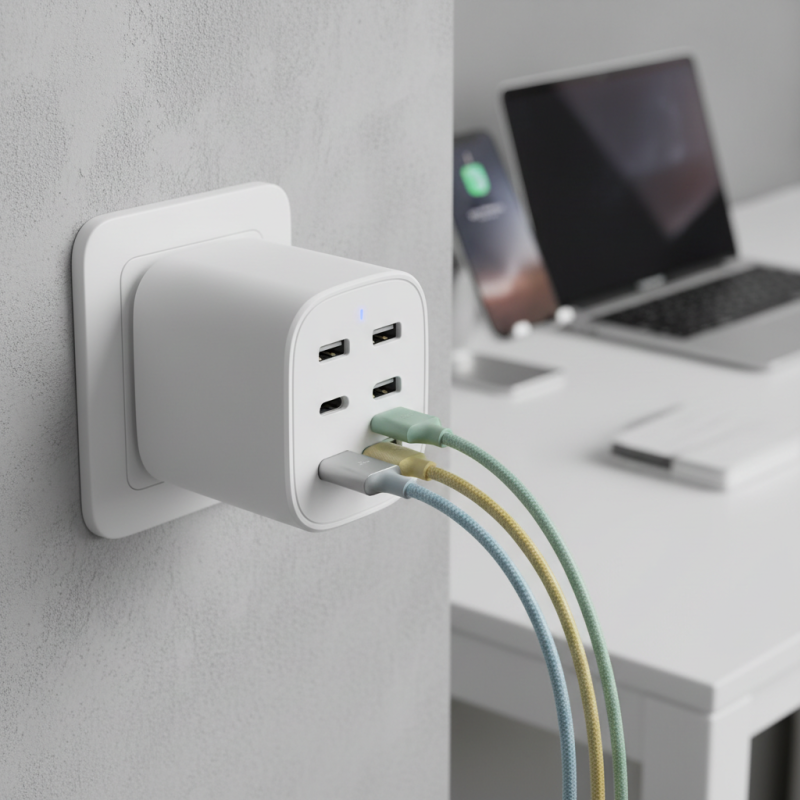
Another essential feature is the number of ports available. A multi-port USB socket can be a game-changer, allowing multiple devices to charge simultaneously. Recent reports show that homes often have several devices, with an average of 6.6 connected devices per household. This data highlights the need for versatile and efficient charging options, reducing clutter while providing ample power.
Safety features are paramount. Overcurrent, overvoltage, and short circuit protections are vital to prevent damage to devices. A survey by Consumer Reports indicates that about 30% of users have experienced issues with overheating or damage from substandard chargers. Investing in a reliable USB charger socket, equipped with necessary safety features, is not just a wise choice but a protective measure for your devices.
When choosing a USB charger socket, understanding power output is crucial. Amperage and voltage determine how effectively your devices charge. Amperage, measured in amps, indicates the maximum current a charger can deliver. A higher amperage means faster charging for devices that support it. For example, a socket with 2.4 amps can charge a smartphone more quickly than one with 1 amp.
Voltage is equally important. Most USB devices require 5 volts, but some may need more for optimal charging. It's essential to check your device's voltage requirements. Using the incorrect voltage can damage your gadget. While higher voltages can provide faster charging, not all devices are equipped to handle them.
Be cautious when making your choice. Not all sockets are tailored for every user. Some sockets may not have the necessary safety features, leading to overheating. It’s advisable to research and read reviews. Consider how much power your devices actually use. This information ensures you select a charger socket that meets your needs effectively. Understanding these fundamentals will lead you toward smarter charging solutions.
When selecting a USB charger socket, compatibility is key. Many devices have specific power requirements. A charger that works well for one device might not be suitable for another. For instance, smartphones often require fast-charging capabilities, while tablets may need more power for efficient charging. Always check the specifications of your devices before making a decision.
Consider the different standards in USB types. USB-A, USB-C, and micro-USB each serve distinct purposes. USB-C is becoming the standard for most new devices due to its versatility. However, older gadgets may still rely on micro-USB. Think about your current and future devices when choosing a charger socket. It’s essential to ensure you invest in a socket that will evolve with your technology.
Don’t overlook device brands. Some manufacturers recommend specific chargers for optimal performance. However, third-party options may also work well. Research and read user reviews to understand reliability. Not every product will meet your expectations, and some experiences may vary. Choose wisely to prevent frustration.
| Tip | Description | Device Compatibility | Power Output | Port Count |
|---|---|---|---|---|
| 1. Check Output Voltage | Ensure it matches device requirements. | Smartphones, Tablets | 5V, 9V, 12V options | 1 or More Ports |
| 2. Review Ampere Rating | Higher ratings for faster charging. | Laptops, USB Gadgets | 1A, 2A, 3A | 1 to 4 |
| 3. Consider Compatibility | Make sure it works with your brand. | Widely compatible devices | Varies by model | 2 to 6 |
| 4. Look for Smart Features | Adaptive charging and smart detection. | Compatible devices with smart features | Optimized charging current | 1 to 8 |
| 5. Durability of the Socket | Choose sturdy materials for longevity. | Portable devices | Standard voltage | 2 to 4 |
| 6. Safety Features | Overcurrent, overvoltage protections. | Mainstream devices | Varies | 2 to 6 |
| 7. Price Point | Find a balance between cost and features. | Budget devices | Affordable to premium | 1 to 4 |
| 8. User Reviews | Consider customer feedback on performance. | Wide user base | Typical ratings | Variable |
| 9. Look for Portability | Compact models for travel convenience. | Traveling devices | 5V output | 2 to 6 |
| 10. Warranty and Support | Check for warranty obligations and support options. | General devices | According to specifications | 1 to 4 |
When selecting a USB charger socket, safety features are non-negotiable. Look for overcharge protection in your device. Studies indicate that overcharging can reduce battery lifespan by up to 30%. Additionally, short circuit protection is essential. A report from the Consumer Product Safety Commission reveals that faulty chargers contribute to roughly 200 home fires annually. Proper safety features can prevent such hazards.
Heat management is another critical aspect. A charger that heats excessively while in use poses risks. A study by the Institute of Electrical and Electronics Engineers shows that devices that operate above their temperature threshold can lead to failure. Choose chargers with built-in heat dissipation features. Surge protection is equally important; it shields your devices from voltage spikes. Many chargers overlook these protections, leaving users vulnerable to damage.
Lastly, consider certifications. Chargers that meet safety standards from recognized organizations demonstrate reliability. While many products claim safety, not all follow through. Cross-reference with reports from testing labs to ensure your charger meets the necessary safety benchmarks. A lack of transparency in product specifications can be a red flag. Prioritize quality and safety for optimal charging experiences.