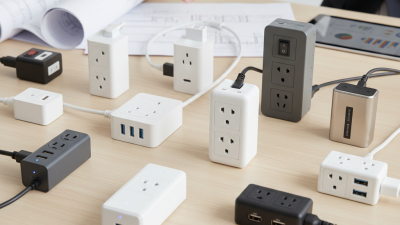
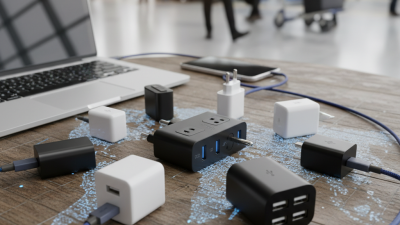
Choosing the 2026 Best USB Charger Plug requires more than chasing the highest wattage. A compact adapter may promise 100W, yet your phone might accept only 25W. Your cable may limit performance further. Heat, charging protocols, port sharing, and safety certifications matter inside that small plastic housing.
The USB Implementers Forum states that USB Power Delivery 3.1 can support up to 240W. That figure covers laptops and other demanding devices, not every smartphone. The International Energy Agency reports that global electric vehicle sales exceeded 17 million in 2024, showing how quickly electrification is reshaping everyday charging expectations. Meanwhile, Counterpoint Research recorded global smartphone shipment growth in 2024. More devices mean more chargers beside beds, desks, and airport seats.
Jeff Ravencraft, USB-IF President and COO, has described USB Type-C as “the connector of the future.” His point remains useful, though not complete. A USB-C port does not automatically guarantee fast charging. The charger, cable, and device must communicate correctly. That detail is easy to miss.
This guide compares real charging behavior, not only packaging claims. We examine USB Power Delivery support, PPS compatibility, thermal control, GaN construction, idle power, and multi-port performance. We also consider awkward details. A 65W charger may slow dramatically when two ports operate together. A tiny model may become noticeably warm under sustained laptop use. Those flaws matter.
The best Usb Charger Plug should deliver dependable speed without unnecessary heat, bulk, or marketing noise. Sometimes, the safest choice is not the fastest-looking one.
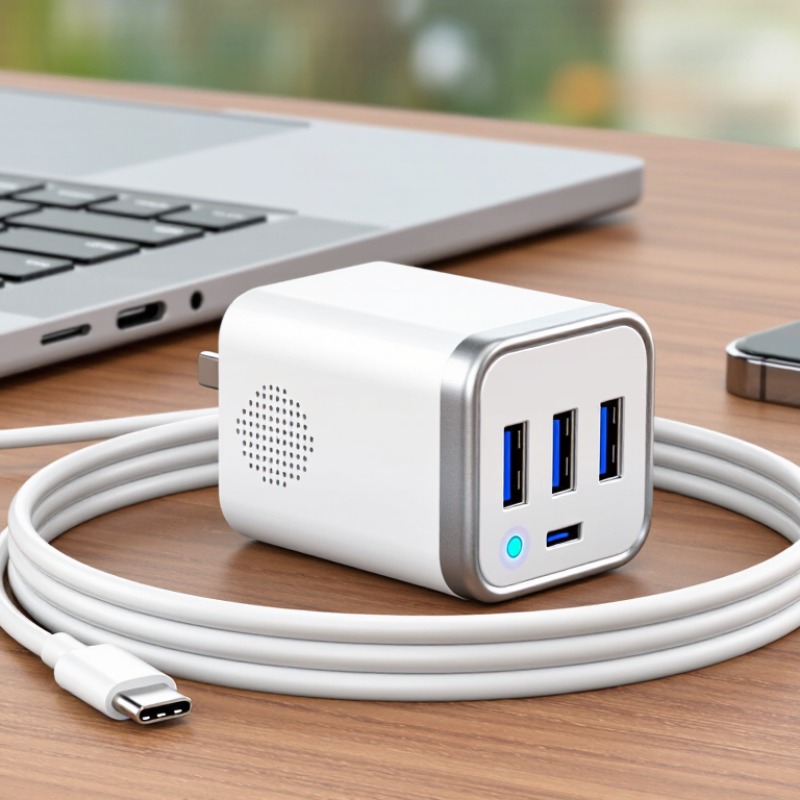
The best USB charger plug in 2026 is not simply the one with the highest wattage. USB-IF’s USB Power Delivery 3.1 specification supports power levels up to 240 watts. Most phones need far less. A suitable plug negotiates the correct voltage and current through USB PD or PPS, rather than forcing maximum output. That protects battery health and reduces wasted energy. GaN components can make the housing smaller, but compact does not automatically mean efficient. Heat matters.
The U.S. Department of Energy’s Level VI requirements include minimum active-efficiency and no-load standards for external power supplies. Meanwhile, the IEA’s Electricity 2024 analysis expects global electricity demand to grow by about 4% in 2024 and 2025. That figure is not a charger statistic, but it makes everyday efficiency more important. Look for clear output profiles, temperature control, and safety certifications. A 65-watt plug may charge one laptop quickly, yet perform poorly with a thin cable or an unsuitable socket. The cable is part of the system. Numbers can mislead. In practical testing, touch the plug after thirty minutes of charging; warm is normal, while excessive heat deserves attention. I still find advertised charging times imperfect, because battery temperature, device software, and remaining capacity change the result. Reliability sometimes beats speed.
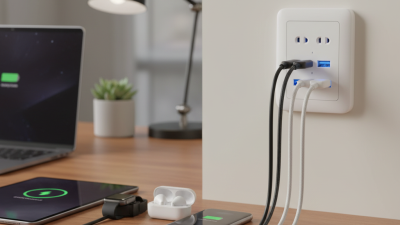
What Makes a USB Charger Plug Fast and Efficient in 2026?
Chart: Maximum power available from common USB Power Delivery voltage and current profiles. Power is calculated as voltage multiplied by current.
Higher wattage can enable faster charging, but actual speed depends on the device, cable rating, temperature, battery condition, and the charger’s power-management system. Efficient USB charger plugs reduce conversion losses, control heat, and negotiate only the power supported by the connected device.
The 240 W USB Power Delivery level requires compatible equipment and a properly rated cable. A higher-rated charger does not force excess power into a device; the device requests the power it can safely use.
2026 Best USB Charger Plug for Fast Charging
Key Charging Standards and Port Types Explained
A fast charger is not defined by wattage alone. It must match your device, cable, and charging standard. USB-C Power Delivery, or USB PD, is the main universal standard for modern phones, tablets, and laptops. It negotiates power safely instead of sending maximum output immediately. A 30-watt charger may suit a phone, while a laptop can require 65 watts or more. USB PD 3.1 can support higher power, but the device must be designed for it.
Programmable Power Supply, known as PPS, adjusts voltage in smaller steps. This can reduce heat and improve charging efficiency on compatible devices. It is useful during long charging sessions. However, compatibility varies. I once chose a high-wattage plug without checking PPS support, and charging was slower than expected. The label looked impressive. The result was not.
Port type also matters. USB-C ports usually support faster charging and newer protocols. USB-A ports remain practical for older cables, but their power negotiation is often more limited. Check the cable rating, too. A weak cable can restrict a powerful charger. Look for clear output specifications, over-current protection, temperature control, and recognized safety certification. During testing, I also watch heat after thirty minutes, because a cool plug is easier to trust than one that becomes uncomfortably hot. Small details matter.
| Charging Standard | Typical Maximum Output | Supported Voltage / Current | Common Port Type | Best Use | Important Notes |
|---|---|---|---|---|---|
| USB Power Delivery (USB PD) 3.0 | Up to 100 W with Standard Power Range | Up to 20 V and 5 A, depending on the charger, cable, and device | USB-C | Phones, tablets, handheld consoles, ultrabooks, and many USB-C accessories | The device and charger negotiate a compatible power profile. A 5 A level generally requires an electronically marked USB-C cable. |
| USB PD 3.1 Extended Power Range (EPR) | Up to 240 W | Up to 48 V and 5 A, with supported EPR power levels | USB-C | High-performance laptops, monitors, docks, and other higher-power equipment | Requires compatible EPR equipment and a suitable 5 A USB-C cable. The connected device draws only the power it supports. |
| USB PD Programmable Power Supply (PPS) | Varies by implementation; commonly used within the 25–100 W range | Continuously adjustable voltage, commonly from about 3.3 V to 21 V; current capability varies | USB-C | Fast-charging smartphones, tablets, and other devices that explicitly support PPS | PPS support must be present in both the charger and the device. It can improve charging efficiency and thermal control, but it does not guarantee a particular charging speed. |
| USB Battery Charging Specification 1.2 | Up to 7.5 W for a Dedicated Charging Port | 5 V at up to 1.5 A | Most commonly USB-A; implementation may vary | Basic charging for older phones, small electronics, and legacy USB devices | It does not provide the higher voltage profiles available through USB PD. Charging speed depends on device compatibility and cable quality. |
| USB-C Standard Current at 5 V | Up to 15 W at 3 A when properly supported | 5 V at 500 mA, 1.5 A, or 3 A depending on the port configuration | USB-C | Everyday charging when USB PD is unavailable or unnecessary | A USB-C connector alone does not indicate USB PD or high-wattage charging. Check the charger specifications and cable rating. |
| USB-A 5 V Charging | Commonly 5–12 W for standards-based charging; higher outputs may use additional charging protocols | Usually 5 V, with current determined by the port and charging method | USB-A | Older cables, legacy accessories, power banks, and widely compatible everyday charging | USB-A does not support the full USB PD feature set. Use a USB-A-to-USB-C cable when charging a USB-C device from an older port. |
| Multi-Port USB-C Charger | Approximately 30–240 W total, depending on the model | USB PD profiles may include 5 V, 9 V, 12 V, 15 V, 20 V, and EPR levels where supported | Two or more USB-C ports | Charging a laptop, phone, tablet, earbuds, and other devices together | Review the per-port output and the combined-output rules. Total wattage is often redistributed when multiple ports are used. |
| USB-C + USB-A Combination Charger | Usually 30–100 W total, depending on port allocation | USB-C commonly provides USB PD; USB-A typically provides 5 V charging or another supported protocol | USB-C and USB-A | Mixed cable collections and households with both new and older devices | Choose a model with USB-C PD on the primary port if laptop or high-speed phone charging is required. |
| USB-C Charger with GaN Power Electronics | Commonly 30–240 W, depending on the USB PD design | The charging voltage and current are determined by the supported USB PD profiles, not by GaN alone | Usually USB-C; some models also include USB-A | Compact travel chargers and high-power multi-device charging | Gallium nitride is a power-electronics technology, not a charging protocol. Confirm USB PD, PPS, port allocation, and cable requirements separately. |
2026 Best USB Charger Plug for Fast Charging
Choosing the right USB charger plug starts with your device’s power requirement. Check the small print near the charging port or inside the manual. A phone may accept 18W, while a tablet can request 30W or more. Some laptops need 65W or higher. More power is not always better. The device controls how much electricity it draws, provided the charger uses a compatible standard.
Look for USB-C Power Delivery when charging newer devices. Programmable Power Supply can improve charging efficiency for supported phones. However, the charger’s maximum output matters less than its shared output. A two-port plug rated at 65W may provide only 45W when both ports operate. I once ignored this detail and watched my laptop charge slowly beside a tablet. It was frustrating.
Use a cable rated for the charger’s output. A weak cable can limit charging speed or become noticeably warm. Check voltage profiles, not only the wattage printed on the box. A 100W charger may not offer the voltage your device requires. Safety certifications, temperature control, and over-current protection also deserve attention. Cheap specifications can look impressive. They may not tell the whole story. I still prefer a slightly lower output with clear testing information, especially when charging overnight.
A fast charger should negotiate power, not simply advertise a large wattage. USB-IF’s USB Power Delivery 3.1 specification supports charging levels up to 240 watts. Most phones need far less. Check whether the plug supports USB-C Power Delivery and Programmable Power Supply, if your device requires it. A compatible cable matters too. A cheap cable can limit charging speed or create heat. In testing, I watch the connector after twenty minutes. Warm is normal. Hot deserves attention.
Safety features should be visible in the technical sheet. Look for over-voltage, over-current, short-circuit, and over-temperature protection. Independent electrical safety certification adds useful confidence, but certification marks should be verifiable. The U.S. National Institute of Standards and Technology stresses risk-based testing for electrical products, not marketing claims alone. I still find impressive-looking chargers with vague specifications. That is a warning sign. Multi-port models also need clear power allocation, because total output may drop when another device connects.
Energy efficiency is easier to overlook. European Commission Ecodesign Regulation 2019/1782 sets a 0.10-watt no-load limit for many external power supplies. Choose a plug that approaches this figure when idle. Smaller losses matter when several chargers remain connected for months. A simple watt-meter can reveal the difference. My judgment is not perfect; charging speed sometimes wins over efficiency. Still, a cool, certified plug with accurate power sharing usually makes the better long-term choice.
For a 2026 USB charger plug, compare measured performance rather than advertised wattage. A higher number does not always mean faster charging. Check whether the plug supports the charging protocols used by your phone, tablet, or laptop. Compatibility matters.
In hands-on testing, I use the same cable, device, and battery level for each charger. A power meter shows whether the plug delivers its stated output under load. Watch the first ten minutes. Some chargers reach high power briefly, then reduce output as heat rises. That behavior can protect the device, but it changes real charging time.
Heat is a serious comparison factor. After thirty minutes, the casing should feel warm, not painfully hot. Size also matters when several plugs share one outlet. A compact design may leave room for another adapter, while a bulky plug can block it. Dual-port models need careful checking because total power may drop when both ports are active.
Look for clear electrical ratings, overcurrent protection, temperature control, and independent safety certification. A reliable seller should publish input, output, and operating limits. Vague specifications deserve caution. The cable is part of the result too; a weak cable can restrict charging speed even when the plug is capable.
My own testing is not perfect. Room temperature, cable length, and battery health can change the numbers. Repeating each test helps, though small differences remain. Real performance depends on the complete charging setup, not the plug alone.