Leave Your Message

7 Tips for Choosing a USB C Plug Socket

Choosing a Usb C Plug Socket looks simple until the installation begins. A socket may fit the panel, yet fail under heat, vibration, or repeated cable use. The right choice depends on more than appearance. Check charging output, USB Power Delivery support, connector quality, mounting depth, and wiring access.

Jeff Ravencraft, president and COO of the USB Implementers Forum, has described USB Type-C as “designed for the future.” That idea matters, but it is not a complete buying specification. A future-ready socket still needs verified electrical ratings, reliable materials, and suitable protection for its environment. Look for documented testing, clear manufacturer data, and certification information instead of trusting a polished product photograph.

These seven tips focus on practical decisions. Measure the available panel space with a ruler. Confirm whether the socket supports 5V charging or higher-power PD profiles. Inspect the terminals, cable length, fuse requirements, and waterproof rating. Consider whether a phone case will block the plug. Small details often decide daily convenience.

Be realistic, too. A cheap Usb C Plug Socket may work perfectly in a dry indoor cabinet. It may not survive a damp vehicle console or constant movement. I have seen installations fail because the rear housing touched nearby metal. That mistake is easy to miss. The following guide explains what to inspect, what specifications deserve doubt, and how to select a socket that fits both your device and installation conditions. You may still need to compromise. That is normal.
7 Tips for Choosing a USB C Plug Socket

Define Your Power and Charging Requirements

Choosing a USB-C plug socket starts with the actual power demand, not the connector shape. List every device, its rated voltage, current, and charging frequency. A phone may need 20 W, while a laptop can require 65 W or more. USB-IF’s USB Power Delivery 3.1 specification defines power levels up to 240 W, but that does not mean every socket can deliver them safely.

Check the socket’s continuous output, not only its maximum rating. A unit marked 100 W may share power across two ports, reducing each port’s performance. USB-IF certification documents also distinguish tested charging behavior from simple connector compatibility.

Look for support for fixed voltage profiles, programmable voltage adjustment, and required protection against overcurrent and overheating. Small details matter.

Installation conditions deserve attention. Measure the cable path, terminal depth, and available ventilation behind the panel. IEC 62680-1-3 specifies key USB Type-C interface characteristics, yet real installations still depend on wiring quality and thermal space. I once underestimated heat around a compact socket; the metal faceplate became noticeably warm during sustained charging. That was not a failure, but it deserved reconsideration.

Choose a socket with a power margin of at least 20 percent above your highest expected load. Review the result after testing it with your longest cable and heaviest device. The first choice may be wrong.
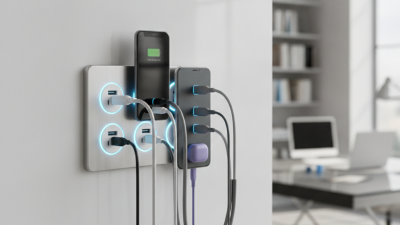
Check Port Compatibility and Electrical Specifications

A USB C plug socket should match both the device and the electrical system around it. Check the port type, not only its shape. A USB-C socket may support charging, data, video, or charging only. Read the technical label and product sheet carefully. A familiar connector can still have limited functions.

Tip: Check electrical ratings first. Confirm the input voltage, output voltage, maximum current, and total wattage. For example, a socket designed for low-power charging may struggle with a laptop. Look for supported USB Power Delivery profiles when faster charging is required. Also check whether the socket accepts the cable’s connector size and orientation. Small details matter.

Tip: Inspect installation requirements. Some sockets need a neutral wire, a specific wall-box depth, or proper grounding. In vehicles, compare the socket’s rating with the fuse and supply voltage. Never assume a higher wattage is automatically safer. Heat around the port, loose terminals, or a warm faceplate are warning signs. Stop using it if these appear.

I once focused too much on charging speed and overlooked physical clearance behind the panel. That mistake made installation awkward. Measure twice. Leave room for cable bends and airflow. Verify local electrical requirements and use a qualified installer when mains wiring is involved. A socket with clear specifications is easier to test, replace, and trust over time.

7 Tips for Choosing a USB C Plug Socket - Check Port Compatibility and Electrical Specifications

Tip Selection Dimension What to Check Practical Selection Guidance Verification Method
1 Port and connector compatibility Confirm whether the part is a USB-C receptacle socket or a USB-C plug. A USB-C receptacle has a 24-contact interface and supports reversible insertion. Also check the panel cutout, mounting style, keying, and terminal arrangement. Match the socket drawing to the host PCB, cable assembly, or enclosure. Do not select a part based only on the external USB-C shape. Compare the mechanical drawing, footprint, contact numbering, and mating dimensions.
2 Power-delivery voltage and current USB-C describes the connector format, not a guaranteed power level. Check the rated voltage, current per contact, total power, and whether USB Power Delivery is supported. USB PD systems may negotiate profiles from 5 V up to higher voltage levels depending on the implementation. For basic charging, use a socket rated for the required 5 V load. For higher-power applications, select a component and PCB design qualified for the intended PD profile, including the necessary thermal margin. Review the electrical rating, PD controller requirements, trace width, connector temperature rise, and protection-circuit specifications.
3 Data-transfer capability Identify the supported data standard and signal count. USB 2.0 uses differential data pairs, while USB 3.x and USB4 implementations require additional high-speed transmit and receive pairs. A USB-C socket may support charging only, USB 2.0 data, or higher-speed data. Choose a USB 2.0 socket for low-cost charging and basic peripherals. Choose a high-speed socket only when the PCB routing, cable, controller, and system design support the required speed. Check the product data sheet for USB 2.0, USB 3.x, USB4, or charging-only classification. Confirm the number of high-speed contacts and insertion-loss requirements.
4 Cable and electronic-marker requirements High-current USB-C cables may require an electronic marker to identify their current and capability. A 5 A cable is not automatically suitable for every USB-C socket or power design. Cable length, conductor size, shielding, and signal quality also affect performance. For standard low-power use, select a socket compatible with the intended cable rating. For high-power or high-speed use, specify the complete cable-and-port system rather than the connector alone. Check cable current identification, e-marker support where applicable, cable length, conductor specification, and the system power budget.
5 Mechanical durability and insertion life Important mechanical values include mating-cycle rating, contact retention, shell strength, latch design, and resistance to side loading. Frequent plugging and unplugging can wear contacts and weaken solder joints. Use a reinforced, through-hole, or hybrid-mount socket for equipment subject to frequent use, vibration, or cable strain. Use a compact surface-mount part when space is the primary constraint. Compare the rated mating cycles, terminal retention force, shell construction, mounting supports, and applicable mechanical test results.
6 Environmental and thermal conditions Check the operating-temperature range, storage-temperature range, humidity resistance, corrosion resistance, and ingress-protection needs. Contact resistance and temperature rise increase when current is high or airflow is limited. Select a standard indoor component for protected equipment. For industrial, outdoor, or high-humidity environments, use suitable sealing, plating, housing protection, and thermal derating. Review the temperature rating, contact material and plating, salt-spray or corrosion data, moisture resistance, and enclosure requirements.
7 Safety, protection, and layout compatibility The socket should work with over-current protection, over-voltage protection, electrostatic-discharge protection, current-sensing, and USB-C configuration-channel circuitry. PCB clearance, grounding, shell connection, and high-speed impedance control are also important. Use a socket that matches the system schematic and PCB footprint. Provide appropriate protection components and connect the shield according to the equipment's EMC and grounding strategy. Verify the recommended land pattern, creepage and clearance, shield connection, ESD test requirements, configuration-channel design, and applicable safety approvals.

Compare Safety Features and Certification Standards

7 Tips for Choosing a USB C Plug Socket

When I compare USB C plug sockets, I examine safety features before charging speed. A fast port is not automatically a safe port. Look for overcurrent, overvoltage, short-circuit, and thermal protection. Insulated covers can reduce accidental contact. Important details often hide behind the wall plate.

Certification marks should match the installation country and product category. Depending on the region, check conformity with IEC 60884-1 for socket construction and IEC 62368-1 for power supply safety. CE or UKCA markings may also apply in specific markets. These marks show that requirements were addressed, but they do not guarantee every installation is safe.

Marks alone are not enough. Verify the certificate number through the issuing body’s database. Compare rated voltage, current, USB output, and temperature limits.

During inspections, I check whether the faceplate sits firmly without gaps around the electrical box. The socket should have a flame-resistant enclosure and clear wiring instructions. I also look for protection against overheating during repeated charging.

I once focused too much on output power and overlooked heat clearance. That mistake changed my checklist.

A qualified electrician should confirm grounding, cable size, and installation quality before regular use. A neat appearance can still hide weak internal connections.

Evaluate Installation Methods and Material Quality

Choosing a USB C Plug Socket

Evaluate Installation Methods and Material Quality

When choosing a USB-C plug socket, installation method should match the panel, wiring, and daily use. A flush-mounted socket looks neat, but it needs accurate cutting and enough rear clearance. Measure twice. Surface-mounted models install faster and suit existing furniture, workbenches, or vehicle panels. However, exposed housings can catch clothing and receive more impact. For replacements, check the panel thickness, hole diameter, cable length, and connector orientation before ordering. A loose fit can cause vibration, intermittent charging, or damaged wires.

Material quality affects safety and service life. Look for a heat-resistant housing, firm copper contacts, and secure strain relief. Flame-retardant plastic is preferable near warm equipment, although plastic labels alone prove little. Contact plating should resist oxidation, especially in humid rooms or frequently handled installations. Check the socket’s input range, output capability, temperature rating, and dust or moisture protection. These details matter more than a shiny finish. Use properly sized conductors and protect the circuit according to the equipment instructions. If mains voltage is nearby, have a qualified professional inspect the installation.

In practical testing, I gently pull the cable and monitor heat during extended charging. The housing should stay stable, and the plug should not wobble. I once trusted a tight-looking socket that later loosened under vibration. That mistake changed my checklist: inspect the rear fastener, not just the front appearance. No method is perfect. Choose an installation that remains accessible, cool, and mechanically supported after repeated use.

Choose the Best Design for Durability and Daily Use

A USB-C plug socket should survive more than a showroom test. It faces dust, sideways cable pulls, warm chargers, and hundreds of daily insertions. I once chose a socket for its glossy finish. It loosened within months. That mistake still matters.

Tip 1: Check the rated insertion cycles. Higher ratings usually indicate stronger internal springs and better contact stability.

Tip 2: Prefer a reinforced housing. Metal supports can reduce movement behind thin panels.

Tip 3: Match the socket to power demand. USB-IF specifications allow USB Power Delivery up to 240 watts, but the entire assembly must support that level safely.

Tip 4: Inspect heat management. Ventilated designs and quality terminals help prevent uncomfortable surface temperatures.

Tip 5: Select a flush profile for daily use. A shallow socket catches fewer bags and cleaning cloths.

Tip 6: Look for clear electrical ratings and test documentation. The European Commission’s common-charger assessment estimated major reductions in cable waste after wider USB-C adoption. Design consistency can reduce replacement clutter, but poor sockets still create waste.

Tip 7: Test the grip before installation. The plug should enter smoothly, hold firmly, and release without scraping.

Grand View Research valued the global USB charger market at approximately 31.8 billion dollars in 2023. That growth increases the need for dependable, compatible hardware. Still, market growth does not guarantee quality. A socket can meet a power label and feel weak. Check the terminal material, mounting depth, temperature rating, and warranty terms. Small details become obvious after a year of use.