Top 10 Socket USB Types in China What You Need to Know?
In today’s digital age, Socket USB technology is crucial for device connectivity. Understanding the different types of Socket USB can enhance your experience with various gadgets. This article explores the top ten Socket USB types available in China, offering insights into their functionalities.
The Socket USB landscape is evolving rapidly. New standards emerge regularly, and it can be overwhelming to keep track. You might find yourself questioning which type suits your needs best. Some Socket USB types are designed for speed, while others focus on compatibility. This complexity can lead to confusion and potential frustration.
By familiarizing yourself with these top types, you can make informed choices. Each type has unique features that cater to specific devices and usages. While seeking the best options, consider your lifestyle and device requirements. Embracing the right Socket USB can enhance your tech experience significantly.
Overview of USB Socket Types Available in China
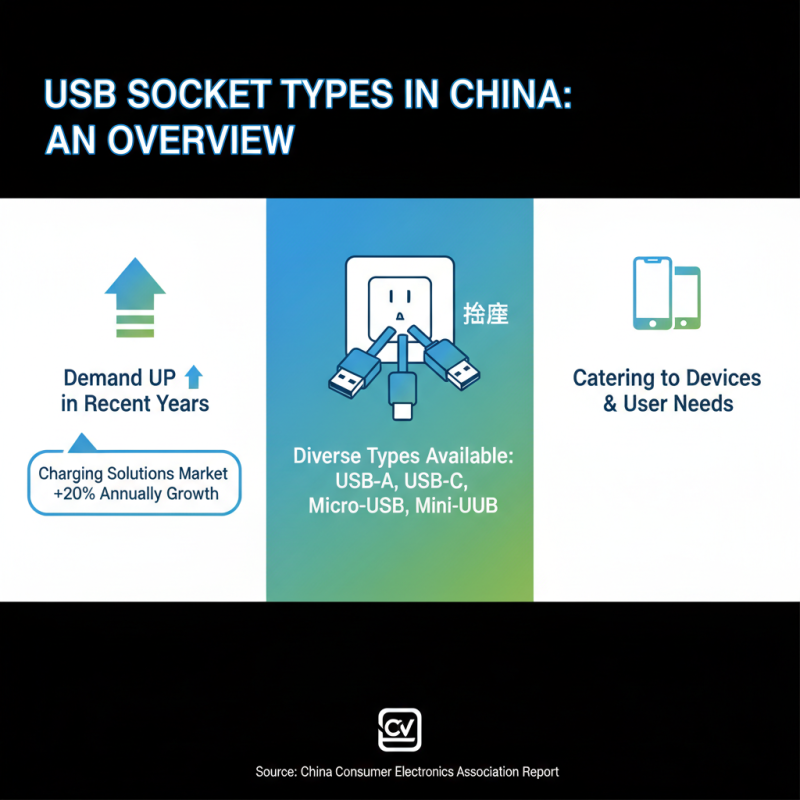
In recent years, the demand for USB sockets in China has rapidly increased. Various types of USB sockets are now available, catering to different devices and user needs. According to a report by the China Consumer Electronics Association, the market for charging solutions is projected to grow by 20% annually. This highlights the importance of understanding the available USB socket types.
The most common types include USB-A, USB-B, and USB-C. USB-A sockets are widely used for charging smartphones and tablets. They are recognized for their simplicity and ease of use. Meanwhile, USB-C has gained popularity due to its reversible design. This allows for faster charging and data transfer speeds. Data from industry analysts indicates that USB-C ports may account for up to 50% of all USB ports used by 2025 in China.
Another type worth mentioning is the USB 3.0 socket, which offers faster data transfer rates than its predecessors. However, compatibility issues can arise when using devices with different USB versions. It is essential for consumers to understand their device specifications to ensure optimal performance. The rapid evolution of USB socket technology reflects both progress and the challenge for users to stay updated.
Specifications and Differences Among USB Type-A, Type-B, and Type-C
When exploring USB types, understanding the specifications and differences among Type-A, Type-B, and Type-C is vital. USB Type-A is the most recognized format, often found in computers and chargers. Its rectangular shape makes it user-friendly, but it has limitations in speed and power delivery. The design is ubiquitous, but it may not support all modern devices effectively. **Older users often struggle with its backward compatibility issues.**
USB Type-B is commonly used in printers and some peripheral devices. Its square shape allows for stable connections, but it's not as versatile as Type-C. Many users find Type-B cumbersome, especially when trying to connect multiple devices. Despite its utility, the Type-B connector is becoming less common in newer technology. **Manufacturers are gradually phasing it out.**
USB Type-C represents the future of connectivity. It's small, reversible, and supports fast data transfer and high power delivery. Many smartphones, laptops, and gadgets now utilize Type-C for its efficiency. Transitioning to Type-C can be challenging, especially for those with older hardware. **If someone still uses Type-A or Type-B devices, they may need adapters or face connectivity limitations.** Understanding these differences can help consumers make informed choices in an evolving tech landscape.
Understanding USB Power Delivery and Fast Charging Technologies
Power Delivery (PD) is a key advancement in USB technology. It allows devices to communicate and adjust power levels, enhancing the charging speed. According to a report by the USB Implementers Forum, PD can deliver up to 100W. This makes it suitable for laptops and other power-hungry devices. Fast charging technologies also play a significant role here. For example, Quick Charge can increase charging speeds up to four times compared to standard methods.
When considering USB sockets, power delivery and fast charging capabilities can impact user experience. A slow charger can delay device usage. It's essential to choose sockets that support PD to fully utilize your devices’ potential. With the right cable, charging time can drastically decrease.
Tips: Always check the specifications of your devices. Not all USB ports provide the same power. Using incompatible cables may lead to slower charging speeds or even damage. Look for reputable sources or reviews before selecting USB sockets. Prioritize functionality and compatibility over aesthetic design. Your devices rely on it.
Compatibility Issues and Considerations for Devices in China
When using USB sockets in China, compatibility is crucial. Many devices may not support universal USB types. This can lead to frustrating experiences. Variants like USB-C, Micro-USB, and USB-A each have unique use cases. Knowing which type your device requires is essential before making a purchase.
Consider the age of your device. Older models may not support newer USB types. Incompatibility can result in slow charging or data transfer issues. Always check your device specifications to ensure a good match.
Tips: Look for multi-port USB hubs. They can offer varied ports in one device. This can save space and reduce clutter. Additionally, invest in a good quality cable. Poor cables can greatly impact performance and charging times. Always test cables before relying on them for important tasks.