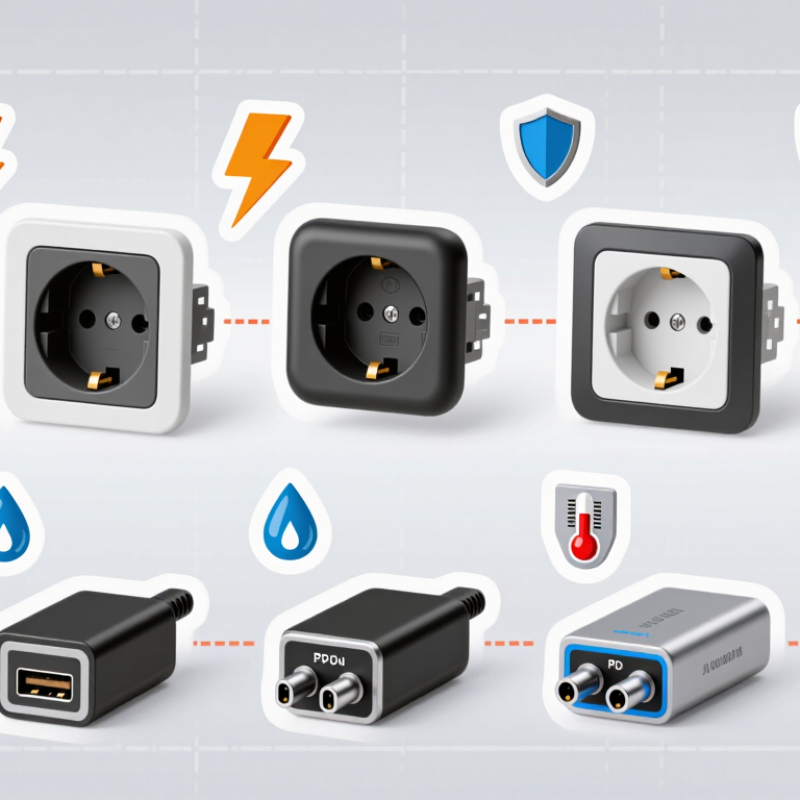
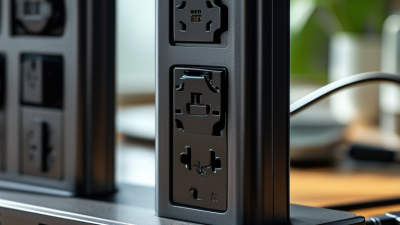
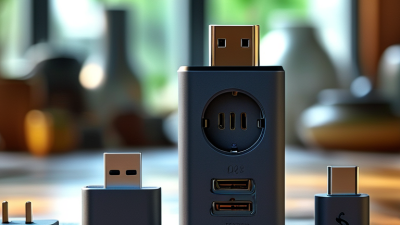
Choosing the right Usb C Plug Socket can affect charging speed, installation safety, durability, and customer satisfaction. Global buyers often compare ten socket types, yet the differences are not always visible in product photos. A compact panel socket may suit a vehicle console, while a recessed wall outlet may work better beside a desk. Some models support USB Power Delivery, while others provide basic charging only. That difference matters.
Small details matter most.
This guide examines the Top 10 USB C Plug Socket Types for Global Buyers through practical selection criteria. We consider connector design, power output, mounting method, housing material, ingress protection, heat control, and compatibility with regional electrical systems. Buyers should check verified specifications, test reports, wiring diagrams, and supplier quality records before placing large orders. A polished datasheet is useful, but it is not proof of consistent production. Samples can reveal loose covers, weak terminals, or excessive heat that product descriptions omit.
No single socket fits every project. That seems obvious, but rushed purchasing decisions often ignore installation conditions. A marine socket may need sealing around its rubber cap. A modular office socket may require a precise faceplate cutout. Automotive users may prioritize vibration resistance and fuse protection instead. This overview offers a clear comparison, while leaving room for careful verification. Product standards and regional requirements can change, so professional inspection remains sensible for commercial installations. The best choice is not always the most powerful model. It is the model that safely matches the environment, device demand, and long-term maintenance plan.
USB-C is a connector shape, not a performance guarantee. A plug fits into a device, while a socket, or receptacle, receives it. Global buyers should check the complete specification before comparing prices. A USB-C connection may support USB 2.0, high-speed USB, or USB4. These options can look identical but deliver very different transfer rates. Some cables carry power only. Others support data, video, and charging together.
The ten practical categories include standard cable plugs, device sockets, USB 2.0 connections, high-speed connections, USB4 connections, power-only cables, power-delivery connections, video-capable connections, panel-mount sockets, and rugged or sealed sockets. The last two matter in machines, control panels, and outdoor equipment. Right-angle plugs can reduce cable strain in narrow spaces. Locking sockets can improve stability, but they may require matching hardware. Check pin allocation carefully. More pins do not automatically mean better performance.
Reliable purchasing requires evidence, not attractive packaging. Request rated current, voltage, data speed, mating-cycle results, and temperature limits. Confirm whether the socket is through-hole, surface-mount, or cable-mounted. Test a sample with the intended charger, cable, and host device. Integration work often exposes a small weakness: a socket works electrically but loosens during repeated movement. I have also seen buyers assume every USB-C cable supports video. That assumption is risky. A clear specification sheet remains more useful than a broad “universal” label.
Top 10 USB C Plug Socket Types for Global Buyers
Top USB-C Socket Types by Mounting and Connection Method
USB-C sockets differ greatly by mounting style. Common choices include panel-mount, PCB vertical, PCB horizontal, through-hole, surface-mount, snap-in, screw-fixed, right-angle, modular, and waterproof cable sockets. Panel-mount types suit control panels and charging stations. PCB vertical sockets save board space but need careful alignment. Horizontal designs support compact enclosures with side access. Through-hole mounting usually provides stronger mechanical support. Surface-mount sockets can reduce assembly time, yet they may need extra reinforcement.
Connection method also affects reliability. Standard solder terminals work well in controlled production environments. Pre-wired sockets simplify installation and reduce soldering errors. Screw-lock connections resist vibration in industrial equipment. Spring contacts allow faster replacement, but contact pressure can weaken over time. Waterproof designs use seals around the plug area. Their protection depends on correct cable fit and enclosure pressure. A high rating alone does not guarantee field performance.
Tips: Measure the panel cutout before ordering. Check pin layout, shell material, and insertion depth. Test repeated plugging, side pressure, and cable movement. In practical evaluations, small alignment errors often cause bigger failures than expected. A socket can look perfect on paper and still feel loose during use. That detail deserves another review. Choose mounting strength and connection style together, not separately.
Top 10 USB C Plug Socket Types for Global Buyers?
Key Electrical and Mechanical Standards to Compare
USB-C sockets look similar, but their ratings can differ sharply. Common options include standard vertical, mid-mount, right-angle, through-hole, surface-mount, hybrid SMT, panel-mount, waterproof, dual-port, and high-temperature sockets. IEC 62680-1-3 defines the USB Type-C interface dimensions and mating features. It does not guarantee identical power or data performance. That detail is often missed.
Electrical comparison should begin with current, voltage, contact resistance, and supported protocols. USB-IF USB Power Delivery specifications allow systems to negotiate up to 240 W under the extended power range. However, a socket rated for basic charging may not safely support that level. USB-IF documentation also separates USB 2.0, USB 3.2, and USB4 capabilities. A ten-pin design cannot deliver every signal available through a full-featured twenty-four-contact receptacle. Check the pin configuration, not just the product title.
Mechanical testing matters in factories and field equipment. Compare mating cycles, retention force, shell strength, solder-joint support, and operating temperature. IEC 60512 test methods can guide connector durability and environmental evaluation. Waterproof versions need a stated ingress rating, such as IPX4 or IP67, with the complete enclosure tested. A socket may survive a laboratory cycle test yet loosen after repeated side loading. Buyers should request test reports, dimensional drawings, and lot-level inspection records. I would not trust a polished datasheet alone.
| No. | USB-C Plug or Socket Type | Typical USB Specification | Physical Contact Configuration | Maximum Data Rate | Power Capability | Common Video Capability | Mechanical and Mounting Considerations | Key Standards to Check | Typical Global Applications |
|---|---|---|---|---|---|---|---|---|---|
| 1 | USB 2.0-only Type-C receptacle | USB 2.0 over USB Type-C | Standard reversible USB-C mating geometry with USB 2.0 contacts; SuperSpeed contacts may be unpopulated. | Up to 480 Mb/s | 5 V standard USB current; USB Power Delivery may be added if the receptacle and controller support it. | Not normally supported through the USB data interface. | Available in top-mount, mid-mount, through-hole, and surface-mount versions. Lower contact count can reduce cost and PCB space. | USB Type-C Cable and Connector Specification; USB 2.0; IEC 62680-1-3 | Keyboards, small accessories, entry-level electronics, service and charging ports. |
| 2 | USB 3.2 Gen 1 Type-C receptacle | USB 3.2 Gen 1, formerly commonly marketed as USB 3.0 or USB 3.1 Gen 1 | Full reversible receptacle with SuperSpeed transmit and receive pairs. | Up to 5 Gb/s | USB Type-C current advertisement can be 1.5 A or 3 A at 5 V; higher power requires USB Power Delivery. | DisplayPort Alt Mode is possible only when implemented by the host and supported by the product design. | Verify shielding, shell strength, insertion durability, and the required PCB footprint before procurement. | USB 3.2; USB Type-C Specification; IEC 62680-1-3 | Computers, industrial controllers, storage devices, monitors, and general-purpose equipment. |
| 3 | USB 3.2 Gen 2 Type-C receptacle | USB 3.2 Gen 2 | Full-featured reversible USB-C receptacle with SuperSpeed electrical paths. | Up to 10 Gb/s | Up to 100 W under USB Power Delivery 3.0 in common implementations; newer designs may support higher power with USB PD 3.1. | DisplayPort Alt Mode may be supported; capability depends on the host controller, lanes, and firmware. | Controlled-impedance differential routing and low-loss connector construction are important for signal integrity. | USB 3.2; USB Power Delivery; DisplayPort Alt Mode; IEC 62680-1-3 | High-speed peripherals, docking equipment, cameras, computers, and professional accessories. |
| 4 | USB 3.2 Gen 2x2 Type-C receptacle | USB 3.2 Gen 2x2 | Full-featured USB-C receptacle using two 10 Gb/s SuperSpeed lanes in parallel. | Up to 20 Gb/s | Power rating depends on the power architecture; USB PD is required for negotiated power above basic Type-C current levels. | Video support is not guaranteed and depends on the host implementation and alternate-mode allocation. | Requires a complete dual-lane design. The cable must also support USB 3.2 Gen 2x2 to achieve the rated speed. | USB 3.2; USB Type-C Specification; USB Power Delivery | External solid-state storage, high-speed data equipment, workstations, and imaging devices. |
| 5 | USB4 Type-C receptacle | USB4 Version 1 or USB4 Version 2, depending on the product | Full-featured reversible connector with high-speed differential pairs and USB4 tunneling support. | Up to 40 Gb/s for common USB4 implementations; USB4 Version 2 can support higher rates in compatible systems. | USB Power Delivery is normally used for advanced power negotiation; USB PD 3.1 supports up to 240 W with suitable equipment. | Can tunnel DisplayPort and PCI Express traffic when supported by the host and connected device. | Requires strict high-speed layout, connector loss control, shielding, and validated cable assemblies. | USB4 Specification; USB Type-C Specification; USB Power Delivery; DisplayPort Alt Mode | Premium computers, docking stations, external graphics, high-speed storage, and professional workstations. |
| 6 | Standard USB-C plug, full-featured | USB Type-C plug wired for USB 3.x or USB4 operation | Reversible 24-position mating interface; all required high-speed, power, configuration, and USB 2.0 contacts are wired according to the cable design. | Up to the rating of the cable assembly, such as 5, 10, 20, or 40 Gb/s. | Common cable ratings include 3 A at 5 V and 5 A with suitable electronic marking and compliant construction. | Can carry DisplayPort Alt Mode or USB4 tunneled display traffic when the cable is rated and fully wired for it. | Check plug shell dimensions, contact plating, pull strength, mating durability, overmold strain relief, and cable bend performance. | USB Type-C Specification; USB 2.0 or USB 3.2; USB4; USB Power Delivery | Detachable charging, data, display, docking, and computer cables. |
| 7 | USB 2.0-only USB-C plug | USB 2.0 over a USB-C plug | USB-C plug geometry with USB 2.0 data and power contacts wired; high-speed SuperSpeed contacts are not used. | Up to 480 Mb/s | Normally intended for standard USB current levels; USB PD capability depends on the complete cable and electronic design. | Not intended for DisplayPort Alt Mode or USB4 operation. | Usually smaller and less complex internally. The cable marking and product description should clearly state USB 2.0 speed. | USB Type-C Specification; USB 2.0; USB Power Delivery where applicable | Charging cables, low-speed accessories, embedded devices, and basic peripheral connections. |
| 8 | Electronically marked USB-C cable assembly | USB Power Delivery cable with an e-marker; may also support USB 3.2 or USB4 | USB-C plug at one or both ends with an electronic marker identifying cable current, speed, and other supported characteristics. | Determined by the cable rating; USB4 assemblies commonly support up to 40 Gb/s, while some advanced assemblies support higher rates. | 5 A operation and USB PD Extended Power Range require suitable cable construction and electronic marking; USB PD 3.1 can reach up to 240 W in a compliant system. | High-resolution display support depends on bandwidth, lane allocation, cable length, and alternate-mode implementation. | Longer cables require careful loss, shielding, and signal-integrity control. Cable identification and test documentation are important for global purchasing. | USB Power Delivery; USB Type-C Specification; USB4 or USB 3.2 as applicable | High-power laptops, monitors, docking stations, professional computers, and high-speed storage. |
| 9 | Panel-mount or cable-mount USB-C receptacle | May be USB 2.0, USB 3.2, USB4, charging-only, or USB PD capable | Front-accessible USB-C socket attached to a panel, cable, bracket, or internal harness rather than directly to the main PCB. | From 480 Mb/s to 40 Gb/s or more, depending on the internal wiring and connector specification. | Commonly supports 5 V charging; higher power requires correctly designed power contacts, thermal management, and USB PD control. | Possible only when the selected assembly supports the necessary high-speed and alternate-mode signals. | Evaluate panel thickness, flange dimensions, screw or snap mounting, cable bend radius, vibration resistance, IP protection, and locking features. | USB Type-C Specification; USB Power Delivery; IEC 60529 when an IP rating is claimed | Industrial equipment, vehicles, control panels, test instruments, kiosks, and rugged computers. |
| 10 | Sealed or rugged USB-C receptacle | USB 2.0, USB 3.2, or USB4 depending on the sealed connector design | USB-C interface combined with a gasket, sealed housing, protective cap, locking feature, or ruggedized mounting system. | Typically 480 Mb/s to 10 Gb/s; higher speeds require validated high-frequency sealing and interconnect design. | Power capability depends on contact design, thermal limits, cable rating, and USB PD implementation. | Possible only when the rugged assembly preserves the required high-speed and alternate-mode signal paths. | Confirm the tested IP rating, operating temperature, salt spray or corrosion performance, vibration rating, mating cycles, and ingress protection with the cap closed or mated as specified. | IEC 60529 for IP ratings; USB Type-C Specification; applicable environmental and safety standards | Outdoor electronics, transportation systems, factory automation, medical equipment, and harsh-environment instruments. |

Top 10 USB C Plug Socket Types for Global Buyers
Choosing a USB-C socket starts with the device, not the connector’s appearance. A USB-C receptacle may support charging only, data transfer, video output, or all three. The USB Implementers Forum states that USB Power Delivery 3.1 can deliver up to 240 watts, but the device, cable, and charger must support the same power profile. A high-power socket is not automatically a high-speed socket.
For phones, sensors, and compact control panels, USB 2.0 Type-C sockets are often sufficient. They are smaller in cost and simpler to integrate. Laptops, monitors, and storage equipment may require USB 3.x or USB4 sockets. USB4 can reach 40 Gbps under its defined operating conditions. However, real performance depends on cable length, shielding, thermal design, and firmware. I have seen buyers choose a fast-looking port, then discover that it carries power only. That mistake is surprisingly common.
Tips: Check the product drawing, pin configuration, rated voltage, current, and mating cycles. For outdoor equipment, verify the IP rating after installation, not only before assembly. For vehicle or industrial use, consider vibration, dust, and temperature ranges. Keep a testing sample. Datasheets can be incomplete, and even experienced engineers sometimes trust the connector shape too much. A practical test with the final cable remains valuable. Industry guidance from USB-IF and USB4 specifications should support supplier claims, not replace independent validation.
Top 10 USB C Plug Socket Types for Global Buyers
Global Compliance, Compatibility, and Purchasing Considerations
USB-C socket selection starts with the application, not appearance. Common types include panel-mount, PCB vertical, PCB right-angle, inline, waterproof, recessed, bulkhead, feed-through, locking, and automotive sockets. Each design affects installation space, sealing, retention, and service access. A panel socket may suit a metal enclosure, while a recessed socket protects the port from impact. Waterproof versions need tested sealing performance, not only a rubber cap.
Compliance requires careful documentation. Ask suppliers for test reports, material declarations, and the latest USB Type-C specification information. Check regional requirements for electrical safety, electromagnetic compatibility, restricted substances, and product marking. CE, UKCA, FCC, RoHS, and REACH may apply differently by market and product category. Do not assume one certificate covers every destination. I have seen purchasing teams accept a familiar connector without checking voltage, current, cable orientation, or mating durability. That mistake can cause overheating or unreliable charging.
Tips: Confirm pin configuration, power rating, insertion cycles, and operating temperature before ordering. Request samples from the final production lot. Test the socket with short and long cables, dust exposure, vibration, and repeated plugging. Fit matters. Looks can mislead. A low-cost socket may create higher assembly expenses when tolerances are inconsistent. Also review packaging, traceability, minimum order quantities, and lead times. I still question catalogue claims when no independent test evidence is available. A practical qualification checklist is often more valuable than a polished product photo.
Maximum signaling rates vary by the USB-C interface implementation. The connector shape alone does not guarantee a specific data speed or power capability.
Purchasing checks should include USB-IF certification status, applicable IEC 62680 requirements, regional electrical safety rules, connector mating compatibility, cable capability, USB Power Delivery support, current rating, and mechanical durability. USB Power Delivery capability is independent of the data-rate category and may reach up to 240 W only when the device, cable, and charger support the relevant specification.