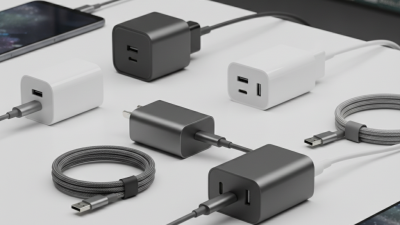
What Is a Type C Charger?
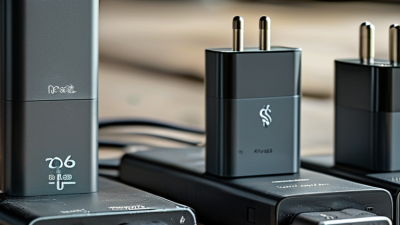
A Type C Charger uses the small, reversible USB-C connector. You can plug it in either way. But the connector’s shape tells only part of the story. It does not, by itself, confirm charging speed, power output, or compatibility.
Google engineer Benson Leung is known for testing USB-C cables and highlighting compatibility concerns. A practical takeaway from his public testing is that a USB-C plug alone cannot guarantee safe, fast charging. This is a paraphrase, not a verified verbatim quotation. The distinction matters. A charger, cable, and device must all support the power levels and charging features being used.
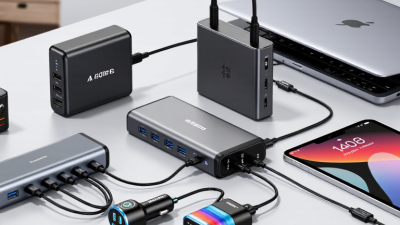
Look beyond the port. Check the charger’s rated output, often shown in watts, and confirm that it suits your device. A laptop may need more power than a phone. A cable’s capabilities matter, too. Labels can be confusing, and product descriptions do not always make limits obvious. Pause and check the specifications.
This guide explains what a Type C Charger is, how USB-C charging works, and how to assess chargers and cables. It also separates connector type from charging protocol, a difference that is easy to miss. USB-C can carry data and power, but not every USB-C accessory supports the same performance. Start with the device maker’s requirements, then compare the charger and cable ratings. Small details count. A familiar-looking plug is not a complete compatibility check.
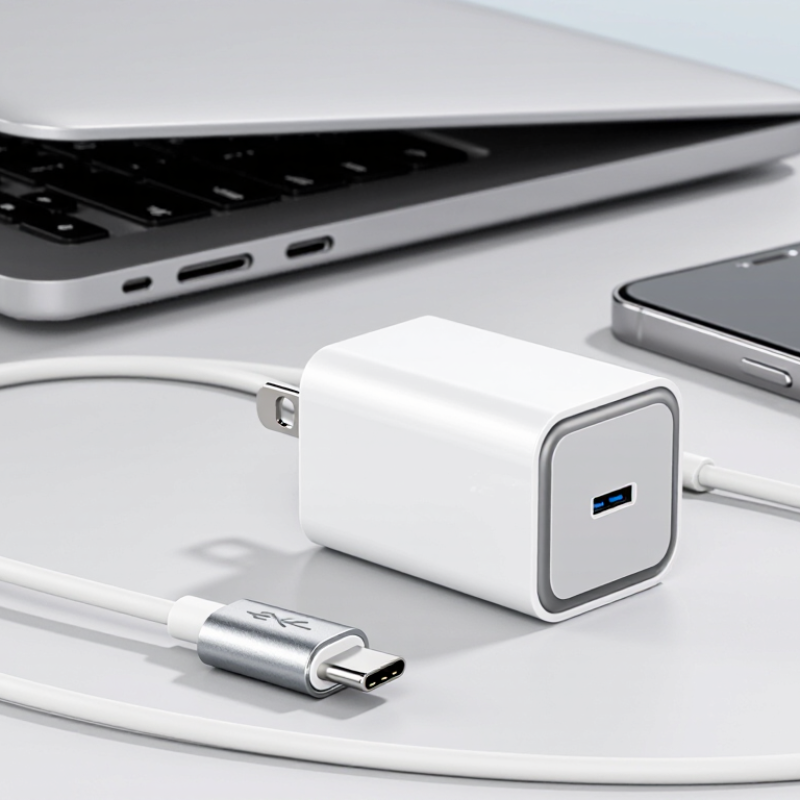
What a Type-C Charger Is and How It Works
A Type-C charger is a power adapter that connects through a small, reversible USB-C plug. The plug fits either way, which makes it easier to use in dim rooms or cramped spaces. But “Type-C” describes the connector, not one fixed charging speed. A charger, cable, and device must all support compatible power features to deliver faster charging.
When connected, the charger and device communicate to determine a suitable power level. With USB Power Delivery, for example, the device can request a supported voltage and current. The charger then supplies power within those limits. A basic connection may use standard 5-volt power, while compatible equipment can negotiate higher power. The cable matters too: some cables support less power than others. I used to assume every USB-C cable behaved alike; that assumption can lead to slower charging. The connector alone tells you little.
Tips: Check the power ratings printed on the adapter and cable. Use a cable rated for your device’s charging needs, and replace one with frayed insulation or a loose plug. If charging seems unusually slow, try a compatible cable before blaming the adapter. Some variation is normal.
The USB Type-C Connector: Shape and Reversible Design
What Is a Type C Charger?
The USB Type-C Connector: Shape and Reversible Design
A Type-C charger uses a USB-C connector, a small, rounded shape with a slim, symmetrical profile. Its outline looks nearly the same on both sides. That simple design solves a familiar annoyance: the plug can enter the port in either orientation. No flipping it over. In a dim room, that can save a little fumbling.
Inside the connector, 24 contacts support power and, depending on the cable and connected devices, data or video signals. The reversible shape makes connection easier, but it does not mean every USB-C cable works the same way. Some are designed mainly for charging; others support faster data transfer or additional functions. Check the cable and device specifications when those capabilities matter. The connector’s appearance alone cannot tell you everything.
A well-fitting plug should slide into the port without force and sit securely. If it feels unusually loose, or you need to press hard, pause and check for lint or damage. Small details matter. USB-C is convenient, though the variety of cable capabilities can still be confusing. That part of the design deserves a closer look than it often gets.
Charging Power, Data Transfer, and Display Capabilities
What Is a Type C Charger?
A Type C charger uses the small, reversible USB-C connector, but the plug alone does not determine performance. Charging power depends on the charger, cable, and device working within compatible limits. Many USB-C chargers negotiate power with a device, then adjust output as needed. A phone may charge quickly while a laptop charges slowly on the same adapter. Check the device’s stated input and the cable’s rated capacity. Heat, damaged insulation, or a loose connection can also reduce reliable charging. The details matter.
USB-C can carry data as well as power, yet transfer speed varies widely. Some cables support only basic data rates; others handle much faster transfers. A large photo folder may take seconds or several minutes, depending on the full connection. Display output is also optional. A compatible port, cable, and screen are all needed, and support may use a display protocol such as DisplayPort Alternate Mode. The connector shape cannot confirm that feature. That is easy to miss. When buying or troubleshooting, check the device specifications and cable markings rather than judging by appearance. Even a familiar-looking cable can be the weak link. There is no universal USB-C experience.
USB-C Standards and Device Compatibility
USB-C describes the connector, not a guaranteed charging speed. That small distinction matters. A port, cable, and charger must share compatible capabilities for a device to charge as expected. The USB Implementers Forum’s USB Power Delivery 3.1 specification allows up to 240 watts with Extended Power Range. That is a ceiling, not a promise. A phone may draw far less, while an older cable may limit power or data transfer. Check the device manual and cable markings; identical-looking plugs can hide different capabilities.
Compatibility also depends on supported power profiles. Some USB-C ports transfer data but do not charge devices; video output is not guaranteed either. The European Commission’s 2022 common-charger impact assessment estimated that discarded and unused chargers generate about 11,000 tonnes of e-waste each year in Europe. A shared connector may reduce clutter, but it does not make every cable equally capable. The frustrating part is simple: the plug looks universal, while performance is not. Even careful buyers can miss that gap.
Choosing a Charger and Cable for Safe Charging
A Type-C charger uses a small, reversible USB-C connector. The plug fits either way, which is handy when connecting a phone beside a dim bedside table. But the connector’s shape does not tell you how much power a charger can safely deliver. Check your device’s charging requirements and the charger’s output specifications. A higher wattage rating is generally acceptable when the device supports the charging standard and manages power properly, but it will not make every device charge faster.
Choose a cable rated for the power you plan to use. Some USB-C cables support basic charging, while others are designed for higher power or faster data transfer. Look for clear power ratings from a reliable seller, and replace cables with frayed insulation, bent connectors, or loose-fitting plugs. Stop charging if the plug or device becomes unusually hot. Warmth can occur, but excessive heat deserves attention. A sturdy-looking cable is not proof of safe construction; I sometimes forget that when shopping quickly.
Tips: Keep the charger uncovered and away from bedding. Match the cable and charger to your device’s requirements. If charging repeatedly cuts out, try a suitable replacement cable before assuming the device is faulty.