Ultimate Tips for Choosing the Right USB Charging Port?
In today’s tech-driven world, the USB charging port plays a crucial role in our daily lives. With numerous devices requiring power, choosing the right USB charging port can significantly impact efficiency. Different USB standards, such as USB-A, USB-C, and Micro-USB, cater to various needs. Understanding these differences is essential for optimal charging performance.
When selecting a USB charging port, consider factors like power output and compatibility. Higher wattage ports charge devices faster, an essential feature for users on the go. However, not all devices support rapid charging, making it critical to know your device specifications. This knowledge bridges the gap between expectation and reality.
Reflecting on personal experiences can guide informed decisions. It’s common to overlook the significance of a quality USB charging port. Some may choose based on price alone, potentially sacrificing reliability. Balancing cost with functionality ensures you invest wisely in charging technology. By exploring various options and incorporating expert recommendations, users can confidently select the best USB charging port for their needs.
Understanding Different Types of USB Charging Ports and Their Uses
When choosing a USB charging port, understanding the different types is crucial.
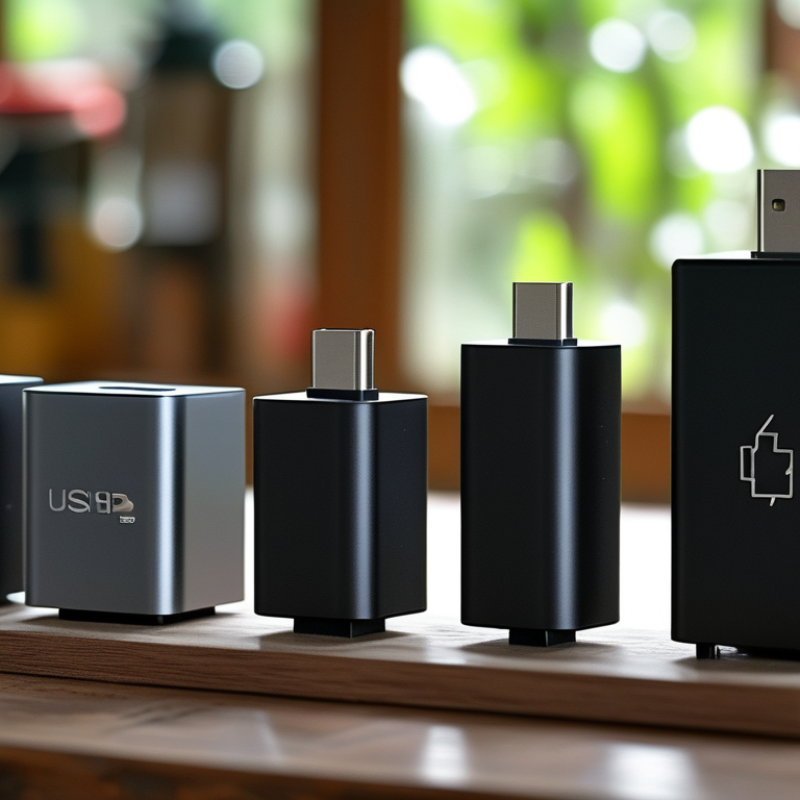
USB-A is the classic rectangular connector. It is commonly found on chargers and older devices. USB-C is newer and has a reversible design. It supports faster charging and data transfer rates. This versatility makes it a popular choice for modern gadgets. Micro USB was once ubiquitous for smartphones but has waned as USB-C gains traction.
Selecting the right port can impact your device's performance. Consider the power output. A higher wattage means quicker charging. However, using a low-watt charger on a high-capacity device can lead to slow charging. Compatibility is another vital factor. Not all cables work well with every port. Investigate the specifications of your devices to avoid issues.
Remember to keep your options available. Some devices may need adapters. This can create confusion, especially if you travel frequently. Be mindful of what you carry in your bag. A mix of cables may save time but also lead to clutter. It's essential to strike a balance between convenience and organization. Choosing wisely can enhance your charging experience significantly.
Evaluating Charging Speed: USB Power Delivery vs. Standard Ports
When selecting a USB charging port, understanding charging speed is crucial. USB Power Delivery (PD) significantly outperforms standard USB ports. This technology allows faster charging by negotiating power levels between devices. It can deliver up to 100 watts, making it ideal for laptops and high-capacity devices. In contrast, standard USB ports typically provide 2.5 to 12 watts.
Many users mistakenly believe that any USB port will suffice. This assumption can lead to frustration when devices charge slowly. While standard ports work for everyday devices, they may not meet the needs of power-hungry gadgets. USB PD is designed for efficiency. It adjusts power dynamically based on the device's requirements, optimizing both speed and safety.
However, not every charger or cable supports USB PD. Users should check compatibility before purchasing. Many cables and chargers are marketed as fast-charging but may not deliver expected results. This discrepancy can be confusing. A user might feel misled when actual charging speeds fall short. Awareness of these differences and careful selection of equipment ensures a smoother charging experience.
Assessing Compatibility with Devices: USB-A, USB-C, and Micro USB
When selecting the right USB charging port, assessing compatibility with your devices is crucial. USB-A, USB-C, and Micro USB are the three prominent types. Each has its unique traits. USB-A is widely used, especially for older devices. You might still encounter it in various chargers and peripherals. However, it may not support fast charging or data transfer speeds common in newer ports.
USB-C is gaining traction for its versatility. It supports faster charging and data transfer. Many smartphones, laptops, and tablets have adopted this standard. With a reversible design, you won’t struggle to plug it in. Yet, not all USB-C cables are the same. Some support high wattage, while others do not. Pay attention to the specifications to avoid confusion.
Micro USB still appears in many budget devices. While it’s less common in newer brands, it remains relevant for some accessories. If you're stuck with a Micro USB device, ensure your cable is in good condition. Charging failures often come from damaged cables rather than socket issues. By assessing device compatibility, you can avoid frustration and ensure efficient charging.
Ultimate Tips for Choosing the Right USB Charging Port
| Device Type |
USB Type |
Charging Speed (W) |
Data Transfer Speed (Mbps) |
Common Use Cases |
| Smartphone |
USB-C |
18 |
480 |
Charging and data transfer |
| Tablet |
USB-C |
30 |
480 |
Charging and media transfer |
| Laptop |
USB-C |
60 |
40,000 |
Power delivery and data transfer |
| Power Bank |
USB-A |
12 |
480 |
Portable charging |
| Headphones |
Micro USB |
5 |
480 |
Charging only |
Importance of Quality and Safety Standards in USB Charging Ports
When selecting a USB charging port, prioritizing quality and safety standards is crucial. A dependable charging port can prevent damage not only to your device but also to your safety. Look for products that meet established international safety standards. This ensures they’re tested for electrical safety and efficiency. Investing in higher-quality ports can ultimately save you from costly repairs or replacements.
Overseas manufacturing sometimes leads to inconsistencies in quality. Many low-cost charging ports may not adhere to safety protocols. The risk here is substantial. Poor quality may lead to overheating, short circuits, or worse. Products with proper certifications often boast better performance and durability. These certifications indicate a level of scrutiny that lower-priced alternatives may lack.
While it's tempting to opt for cheaper options, consider the long-term implications. A quality charging port can significantly extend the life of your devices. Checking for user reviews and compliance with safety standards requires a bit more effort, but it's worthwhile. Not all charging ports are created equal, and scrutiny is necessary. Your devices deserve reliable, safe charging solutions.
Selecting the Right Cable: Factors to Consider for Optimal Charging
Choosing the right USB charging cable can make a significant difference in your charging experience. There are several factors to consider when selecting the right cable. First, check the cable's power rating. Higher ratings typically support faster charging. Look for cables rated for at least 2.0A for efficient charging.
Another critical factor is the length of the cable. A longer cable can be more convenient but may result in slower charging speeds. Shorter cables often deliver power more effectively. It's essential to think about where you will be using the cable. Will you need it on a desk or while traveling?
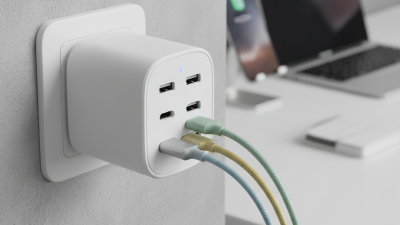
Quality also matters. Look for cables with sturdy connectors and durable materials. Cheap cables often break or fail over time, leading to frustration. Reflect on your charging habits, too. If you frequently charge multiple devices, consider investing in high-quality multi-port chargers. Not all setups work for everyone, so experimentation may be necessary.