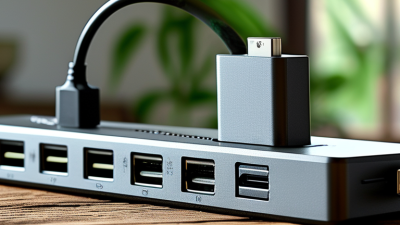
Choosing a Type C Charger now requires more than checking connector shape. USB-C identifies the port, not charging speed, safety, cable quality, or supported protocol. A compact 20W adapter may suit a phone, while a 140W GaN charger can power selected laptops. The difference is substantial.
USB Implementers Forum specifications provide useful benchmarks. USB Power Delivery 3.1 supports power levels up to 240W, while USB4 Version 2.0 can reach 80Gbps under suitable hardware conditions. However, those figures describe capability, not guaranteed performance. The European Commission’s common-charger impact assessment estimated annual savings of 11,000 tonnes of electronic waste and €250 million for consumers. That policy direction also reflects a practical market concern: fewer incompatible accessories.
Jeff Ravencraft, USB-IF President and Chief Operating Officer, has described USB Type-C as “the connector of the future.” His statement is persuasive, but buyers should remain cautious. Not every Type C Charger delivers the same results. Some support USB Power Delivery, while others provide basic 5V output. Some include PPS for modern smartphones, while others lack thermal monitoring or credible certification. The ten charger types in this guide compare these differences through output, compatibility, portability, efficiency, and safety. Real-world experience matters here. A charger can meet its printed wattage and still disappoint with a long cable or multiple devices. Labels can be confusing. This overview may not answer every use case, but it should make better questions easier to ask.
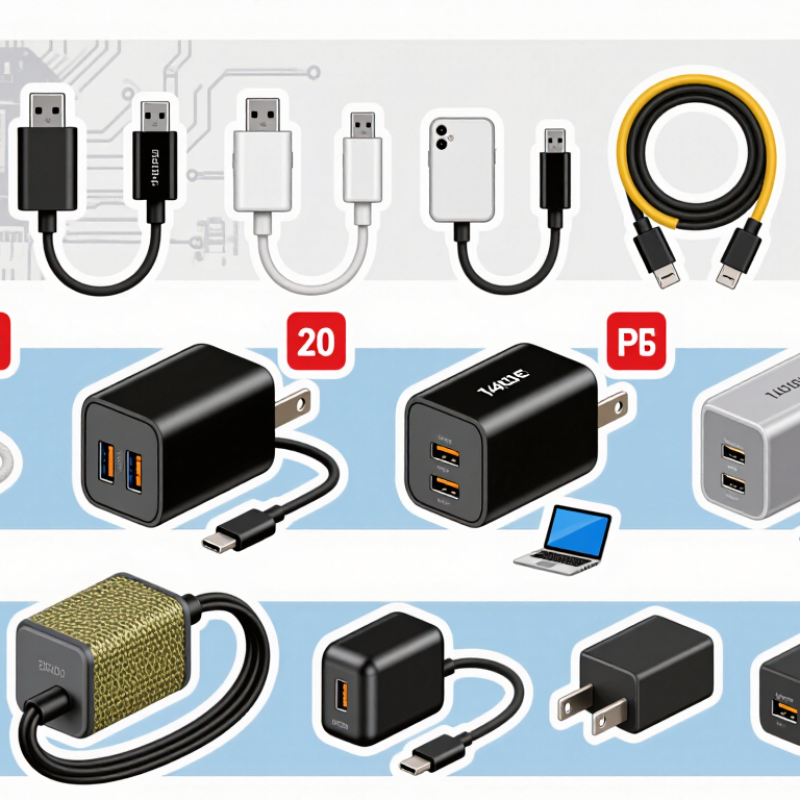
A Type-C charger uses a USB Type-C connector to transfer electrical power, and sometimes data. Its small oval plug is reversible, so it fits either way. However, Type-C describes the connector shape, not the charger’s power level. A compact adapter may provide basic 5-volt charging, while another can deliver enough energy for a laptop.
Inside a compatible charging system, the charger and device communicate through dedicated pins. They identify the required voltage and current before increasing power. Common charging methods include standard USB power, programmable voltage charging, fast charging, multi-port charging, car charging, travel charging, and high-wattage laptop charging. Some Type-C cables support only charging, while others carry data or display signals. The cable matters more than many buyers expect.
Check the printed output ratings carefully. For example, “5V/3A” provides up to 15 watts, while higher outputs may require electronic safeguards and a suitable cable. A device usually draws only the power it can accept, but poor-quality equipment can still create heat or unstable charging. I once assumed every Type-C cable was interchangeable. That was too simple. Look for certified safety information, clear wattage details, and protection against overcurrent, overheating, and short circuits. Charger labels can be confusing, and manufacturers do not always explain them well. Feel the adapter after extended use. Warm is common. Excessively hot deserves attention.
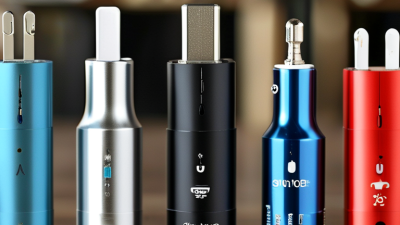
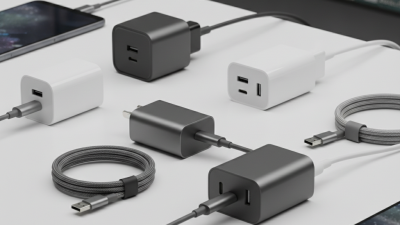
Type-C chargers now cover ten practical types: basic 5V chargers, USB Power Delivery chargers, PPS chargers, GaN compact chargers, single-port wall chargers, multi-port wall chargers, desktop charging stations, travel chargers, car chargers, and power-bank chargers. The categories overlap, and that matters. A GaN unit may also support PD, PPS, several ports, and travel voltage. Buyers should read the output table, not trust the connector shape alone.
USB-IF technical documentation states that USB Power Delivery 3.1 can support up to 240W, although most phones need far less. IDC recorded about 1.17 billion smartphone shipments in 2023, showing why charging compatibility remains a large purchasing issue. A 20W single-port charger suits many phones. A 65W multi-port model fits a phone, tablet, and lightweight laptop. PPS can adjust voltage more precisely, which may reduce heat during fast charging. Sometimes.
For desk use, choose a desktop station with separated power profiles and clear port labels. Travel chargers should accept broad input voltage and include folding plugs. Car chargers need stable output, especially during navigation and calls. Power banks should state both input and output ratings. Independent laboratory reports, such as UL Solutions charging-safety assessments, repeatedly stress thermal control, overcurrent protection, and cable quality. A high wattage label is not proof of better performance. It can be misleading. Check certified markings, supported protocols, and real device requirements before buying.
Type-C chargers differ mainly through power output, charging protocols, port design, and cable support. A basic 5-watt charger suits small accessories, while 18-watt and 30-watt models charge phones much faster. Compact gallium nitride chargers reduce heat and size. Forty-five-watt units can handle tablets and some lightweight computers. Sixty-five-watt and 100-watt chargers support demanding laptops, but only with compatible cables. Multi-port desktop chargers share power between devices. Car chargers fit mobile travel. Travel chargers add folding plugs. Outdoor models may include solar input. Finally, high-output charging stations serve several users.
Speed depends on more than the number printed on the adapter. Power delivery technology negotiates a suitable voltage with the device. A phone may accept only 25 watts from a 65-watt charger. It will not automatically receive dangerous excess power. Cable ratings matter too. A weak cable can restrict charging speed. Look for current and wattage markings before buying. I have seen users replace a fast adapter, then keep an unsuitable cable.
Compatibility is the practical test. Check the device’s input standard, maximum wattage, and charging profile. Some tablets charge quickly, while older accessories remain slow. A charger may power a laptop but fail to support its display connection. That distinction is easy to miss. Reliable models include overheat, overcurrent, and short-circuit protection. Certification markings add confidence, though labels are not perfect proof. Read independent testing when available, and leave room for doubt before trusting impressive speed claims.
Choosing the right Type-C charger depends on the device, charging speed, and daily setting. A basic 5W charger suits earbuds and small accessories. A 20W Power Delivery charger fits most phones. A 30W model handles tablets and compact laptops. Higher-power 65W and 100W chargers support larger computers. PPS charging can improve speed for compatible phones. GaN chargers stay smaller during travel. Dual-port chargers serve a phone and tablet together. Multi-port desktop chargers suit families or shared workspaces. Car chargers keep navigation devices powered on long journeys. Power banks with Type-C output help when sockets are unavailable. The “best” option is rarely universal.
Tips: Check the device’s input limit before buying. A charger cannot force unsafe power into a compatible device, but poor cables may reduce performance. Match the cable rating with the charger’s output. Look for clear safety testing information and overheat protection. I once chose a tiny travel charger without checking its second-port limits. Charging slowed noticeably. That mistake was avoidable.
For phones, choose 20W to 30W with Power Delivery. Tablets often need 30W or more. Laptops may require 65W, 90W, or higher. A multi-port charger can divide power when several devices connect. Read the fine print. Some ports share wattage, even when the total rating looks impressive. Heat also matters; a warm charger is common, but excessive heat deserves attention. Your device manual remains the most reliable reference.
USB-C chargers are commonly selected by their power-delivery tier. Higher-wattage chargers can support larger devices, while phones and smaller accessories generally need less power.
How to choose: 15–30W chargers are suitable for phones and small accessories, 45–65W models fit tablets and many ultraportable laptops, and 100–240W USB Power Delivery Extended Power Range chargers are designed for compatible high-performance laptops and other demanding devices. Actual charging speed depends on the device, cable rating, charger profile, and thermal conditions.
Power tiers are based on USB-C and USB Power Delivery capabilities, including standard power levels and Extended Power Range levels. A device only draws the power it is designed to accept.
When comparing the top 10 Type-C charger types, safety should come before charging speed. Check for IEC 62368-1 or EN 62368-1 compliance. These standards address electric shock, fire, and overheating risks. The Type-C connector itself should follow IEC 62680-1-3. A familiar shape proves very little.
Look for USB-IF certification and clear Power Delivery ratings. Certified products usually identify supported voltage, current, and wattage. Chargers using programmable power delivery should also manage temperature and current changes. A credible safety mark must be traceable, not just printed on the box. The European Commission’s common-charger impact assessment estimated 11,000 tonnes of annual electronic waste could be reduced. That makes reliable compatibility more than a convenience issue. Still, certification logos can be copied. Buyers should verify them through official databases when possible.
Tips: Check the input range, output profiles, cable rating, and plug design. Match the charger with the device’s maximum input. A 100-watt charger does not force 100 watts into every device. Inspect loose pins, unusual heat, or a sharp electrical smell. Stop using it immediately. I sometimes find safety advice too focused on laboratory tests. Real homes have dust, crowded sockets, and damaged cables. Buyers should consider those imperfect conditions. A low-cost charger may pass a basic visual check while hiding weak insulation. Read the test report, not only the marketing label.
A practical comparison of common USB Type-C charger categories, power ranges, compatibility considerations, and safety checks.
| No. | USB Type-C Charger Type | Typical Output | Common Uses | Important Technical Features | Buyer Safety and Compatibility Checks |
|---|---|---|---|---|---|
| 1 | Basic USB-C charger | 5–12 W | Small accessories, basic phones, low-power electronics | Usually provides 5 V output; limited or no USB Power Delivery support | Confirm the output current; avoid using it for laptops or devices requiring fast charging. |
| 2 | Compact USB Power Delivery charger | 18–30 W | Phones, tablets, handheld gaming devices | USB PD negotiation; commonly supports 9 V, 12 V, or higher profiles | Check that the charger supports the device's required USB PD profile and includes over-current protection. |
| 3 | Fast USB-C phone charger | 30–45 W | Fast-charging smartphones and tablets | USB PD, often with Programmable Power Supply support | PPS is useful only when both the charger and device support it; verify the supported voltage and current range. |
| 4 | USB-C tablet and ultrabook charger | 45–65 W | Tablets, thin laptops, compact monitors | USB PD with higher-power profiles; often available in a compact GaN design | Match the laptop's minimum charger rating and use a cable rated for the required power. |
| 5 | High-power USB-C laptop charger | 90–100 W | Performance laptops, docking stations, larger displays | USB PD Extended Power Range may be used; 5 A operation generally requires an electronically marked cable | Check charger, cable, and device ratings together; a low-rated cable can limit power or create a safety risk. |
| 6 | USB-C Extended Power Range charger | 140–240 W | High-performance laptops, workstations, and demanding mobile equipment | USB PD EPR; power levels above 100 W can reach up to 240 W under the specification | Require an EPR-compatible charger and correctly rated 5 A electronically marked cable; inspect for heat protection and credible certification. |
| 7 | Multi-port USB-C charger | 30–200 W total | Charging several phones, tablets, laptops, and accessories | Multiple USB-C outputs; total power is dynamically shared between ports | Read the per-port and combined-output table; do not assume every port delivers the advertised maximum simultaneously. |
| 8 | GaN USB-C charger | 30–240 W | Travel, office, and high-power portable charging | Gallium nitride switching components can enable smaller designs and higher switching efficiency | GaN describes the power technology, not safety certification; still check electrical ratings, thermal protection, and conformity marks. |
| 9 | USB-C travel charger | 30–100 W | International travel and hotel-room charging | May include a wide input range such as 100–240 V AC and interchangeable or integrated plug arrangements | Confirm input-voltage compatibility, plug configuration, grounding requirements, and destination-market approvals. |
| 10 | USB-C car charger | 18–100 W | Charging devices from a vehicle's 12 V or 24 V electrical system | Vehicle input conversion, USB PD output, and protection against voltage spikes and overheating | Check the vehicle input range, fuse or current rating, secure fit, reverse-polarity protection, and operating temperature limits. |
| Standard, Mark, or Check | What It Indicates | What Buyers Should Look For |
|---|---|---|
| IEC 62368-1 | A widely used audio/video, information, and communication technology equipment safety standard based on hazard-based safety engineering. | Look for a legitimate test or certification reference applicable to the destination market; the standard number alone is not proof of certification. |
| USB-IF compliance or certification | Indicates testing against relevant USB specifications for interoperability and performance. | Check the exact USB PD, PPS, EPR, and cable capabilities rather than relying only on the words “fast charge” or “USB-C.” |
| CE marking | A manufacturer's declaration that the product meets applicable European Union requirements. | For European Union sales, verify the declaration of conformity and required technical documentation; a mark without traceable documentation is a warning sign. |
| UKCA marking | Indicates conformity with applicable product requirements in Great Britain. | Confirm that the product documentation and conformity assessment match the intended UK market. |
| FCC requirements | Address electromagnetic emissions and interference requirements applicable in the United States. | Check for appropriate FCC information and ensure the product is intended for the relevant US market. |
| RoHS compliance | Restricts specified hazardous substances in electrical and electronic equipment in applicable jurisdictions. | Look for a supplier declaration or compliance documentation, especially for products sold in regulated markets. |
| Recognized laboratory safety mark | Third-party evaluation may cover electrical shock, fire, insulation, temperature, and abnormal-operation risks. | Verify that the mark is traceable in the issuing laboratory's public certification database and applies to the exact model. |
| Over-voltage and over-current protection | Helps limit unsafe output conditions caused by faults, incorrect negotiation, or abnormal loads. | Confirm protection features in the technical specification; avoid products with missing electrical ratings or vague safety claims. |
| Thermal and short-circuit protection | Reduces the risk of excessive heating and damage during blocked airflow, overload, or a short circuit. | Choose a charger with documented protection functions, adequate ventilation, and a housing that is not cracked, loose, or unusually hot. |
| Cable power rating | The cable must safely carry the negotiated current and support the required USB PD power level. | For higher-power charging, use a cable with the appropriate current rating and electronic marking; replace damaged or excessively warm cables. |