Top USB Fast Chargers for iPhone and Android
Choosing a fast charger is no longer a simple matter of finding the highest wattage. Modern phones negotiate power, temperature, cable quality, and charging protocols within seconds. A 65W adapter may charge one Android phone quickly, yet provide limited benefits for an iPhone. The label can mislead.
The market is large and increasingly fragmented. IDC’s Worldwide Quarterly Mobile Phone Tracker recorded approximately 1.17 billion smartphone shipments in 2023. That scale creates many charging needs, from compact travel adapters to multi-port desktop models. USB-IF states that USB Power Delivery 3.1 can support up to 240W through Extended Power Range. However, most phones accept far less. The charger, cable, and handset must share the same standard.
This guide compares the Top USB Fast Chargers for iPhone and Android through practical details. We consider charging protocols, measured output, thermal behavior, port design, cable compatibility, and safety certifications. A useful Usb Fast Charger should fit a real routine: a warm phone beside a hotel bed, a laptop and phone charging from one outlet, or a battery rising during a short coffee break. We also examine long-term value. The Global E-waste Monitor 2024 reported 62 million tonnes of electronic waste in 2022, with only 22.3% documented as properly recycled. Buying one reliable charger may reduce unnecessary replacements, though that assumption deserves caution. No model wins every situation. The best choice depends on your device, travel habits, and tolerance for slower charging.
USB-IF Power Delivery Standards: From 100 W USB PD to 240 W USB PD 3.1
Top USB Fast Chargers for iPhone and Android
USB Power Delivery is a negotiation, not a promise printed on a charger.
A 100 W USB PD adapter can offer up to 20 volts and 5 amps, but only when the charger, cable, and device support that combination. An iPhone or Android phone will draw only the power its charging system accepts. So a 100 W label does not mean a phone receives 100 W. Check the device’s supported charging standard and use a suitably rated cable; a thin, older cable can limit the result.
USB PD 3.1
extends the specification to 240 W through Extended Power Range, with additional voltage options up to 48 volts. That extra capacity is mainly useful for larger devices, such as laptops, rather than typical phones. For a phone, the useful question is whether the charger supports the device’s preferred charging mode, not just its maximum wattage. Look for clear output ratings and recognized USB-IF certification details. Small print matters.
There is a practical catch.
More watts can mean a larger adapter, and charging speed may fall as a battery fills or warms. I would not choose a charger by the biggest number alone. That number is easy to misunderstand. A well-matched adapter, cable, and phone usually make a more dependable set, even when the specification looks less impressive.
Apple Technical Data: iPhone Fast Charging Reaches About 27 W on Recent Models
Recent iPhones can approach 27 watts during fast charging, but that figure is a peak, not a steady rate. Independent USB-C power-meter tests published in 2024 recorded roughly 27 watts under favorable conditions. Actual draw changes with battery level, temperature, and workload. Near 50 percent charge, the phone may already be reducing power. That is normal.
A charger rated at 30 watts or more gives useful headroom, yet it will not force the phone to draw its full rating. USB-IF’s USB Power Delivery specification supports negotiated power levels, allowing compatible devices and chargers to agree on a suitable output. In practical terms, check for USB-C Power Delivery support, then use a quality cable. A warm adapter is common; a hot phone is worth noticing. Small detail, but it matters.
For a fair comparison
measure charging from the same starting percentage and room temperature. A brief peak reading can look impressive. It does not show how long the phone sustains that rate. Independent lab results are helpful, though test methods differ, and real-world charging can be slower. That part is easy to overlook.
Android Charging Benchmarks: USB PD and PPS Support Varies by Manufacturer
Android charging benchmarks can look inconsistent because USB Power Delivery (USB PD) and Programmable Power Supply (PPS) support varies by device. A charger’s printed wattage is only its ceiling; the phone must also accept the charger’s protocol and power profile. USB Implementers Forum’s USB PD specification defines PPS adjustments in 20-millivolt steps, allowing finer voltage control than fixed profiles. That capability does not guarantee faster charging on every Android phone. A handset may omit PPS, limit input power, or reduce speed as its battery warms.
For a useful comparison, test the same phone, cable, battery level, and room temperature with each charger. Record power after five and twenty minutes, not just the initial peak. Battery-management systems commonly taper charging as the battery fills, so a high early reading is not a full-session result. Small setup differences matter. A long, thin cable can also reduce delivered power.
Tips: Check the phone’s manual for PD or PPS support, then match the charger’s listed profiles. Use a certified cable rated for the expected current. If results vary, repeat the test; one reading can mislead.
Safety Certification Checklist: USB-IF, GaN Efficiency, Thermal Control, and EPR
A fast charger should be judged by more than its wattage. Check for USB-IF certification and verify the exact model in the organization’s public product database. Certification offers useful evidence of tested USB performance, but it does not guarantee every cable and device combination will charge at maximum speed. A compact GaN design can reduce size and improve power conversion efficiency. GaN alone, however, is not a safety certificate. Look for clear output ratings, recognized safety marks, and instructions that match the charger.
Tips: Match the charger’s USB-C power profile to your phone. Inspect the cable, too. For EPR, confirm that both the charger and cable support the required higher-power profile; a label alone may not tell the whole story. Keep ventilation openings clear, and unplug a unit with a damaged casing or persistent unusual heat.
Thermal control matters during real use, especially when charging beside a warm laptop or under bedding. A well-designed charger manages temperature and may reduce output when it gets hot. That can mean slower charging, which is preferable to ignoring excess heat. EPR supports higher USB-C power levels, but most phones will draw only what they are designed to accept. I still find wattage labels easy to overread. Check the fine print and choose a charger with specific, verifiable ratings rather than relying on a large number.
Top Charger Selection: Match Wattage, Ports, Cable Ratings, and Device Protocols
Top USB Fast Chargers for iPhone and Android
A fast charger is only useful when its output suits your device. Check the phone maker’s recommended charging standard and wattage before buying. A higher-wattage adapter usually does not force a phone to draw more power, but compatibility still matters. Some phones charge quickly only with particular protocols. Others fall back to slower rates. Check the specifications, not just the number printed on the charger.
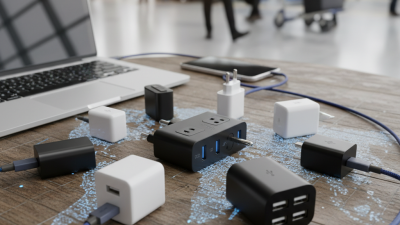
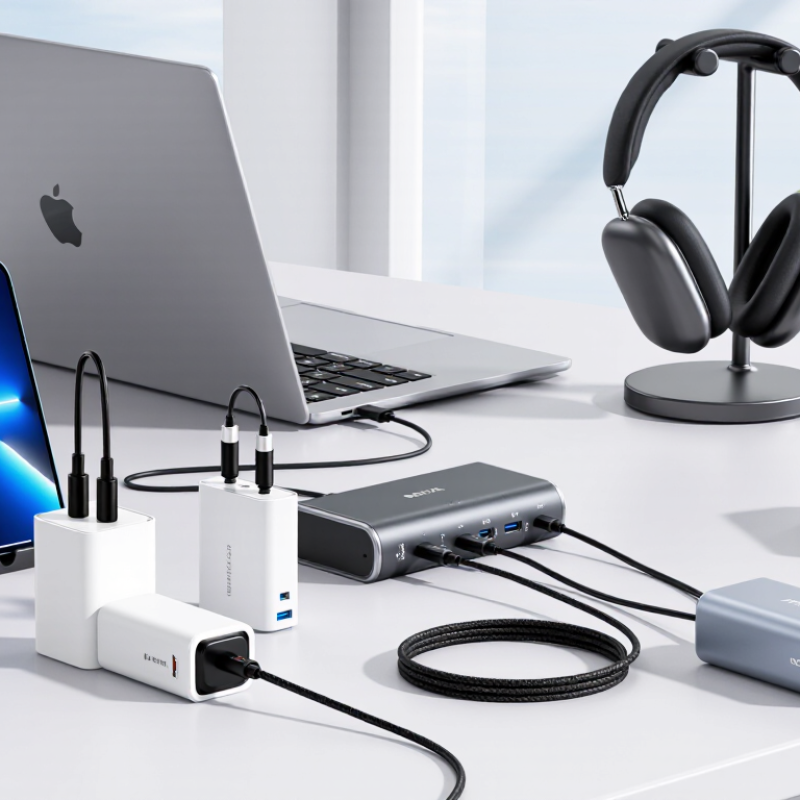
Count the ports you will use at once. A two-port charger may split its available power when both ports are occupied, so a tablet can slow your phone’s charge. Cable ratings matter, too. A cable that cannot handle the charger’s output may limit charging speed; for high-power USB-C charging, confirm its rated capacity. Look for clear output details on the adapter and cable packaging. Small print can be annoying. I have also found that a charger’s advertised maximum may apply to only one port, which is easy to miss. Match the charger, cable, and device as a set, then test them during an ordinary day. A slightly slower, dependable setup may fit your routine better than a high-wattage model with the wrong ports.